
YOU HAVE CURATED YOUR DISCIPLINE'S KNOWLEDGE IN A ZOTERO LIBRARY.
Now provide access to your libraryfor any MCP clientClaudeChatGPTClaude CodeGeminiClaude ScienceOpen WebUICodexto search your librarybuild your libraryread your commentsadd notes to paperscite your sourcessummarize your PDFsorganize your libraryreview the literaturedesign an experimentsearch your library
Turn your reference library into an AI-searchable knowledge graph. Search, cite, and safely extend your Zotero library from Claude, ChatGPT, or any MCP client — with semantic search, a citation graph, and an AI-edit audit log with one-click undo.
Connect for free. No personal information required.
ONE URL TO CONNECT
Paste one MCP URL into any compatible AI client and go. No local setup, no custom scripts.
NO NEW ACCOUNTS
Your Zotero login, nothing more. Official Zotero OAuth keeps your credentials where they belong.
YOU STAY IN CONTROL
Configurable session length and granular scopes. Revoke AI access in one click. Approve and undo AI actions.
How it works
RefBridgeMCP sits between your Zotero library and the AI client of your choice. Pick a client below to see how to connect it.
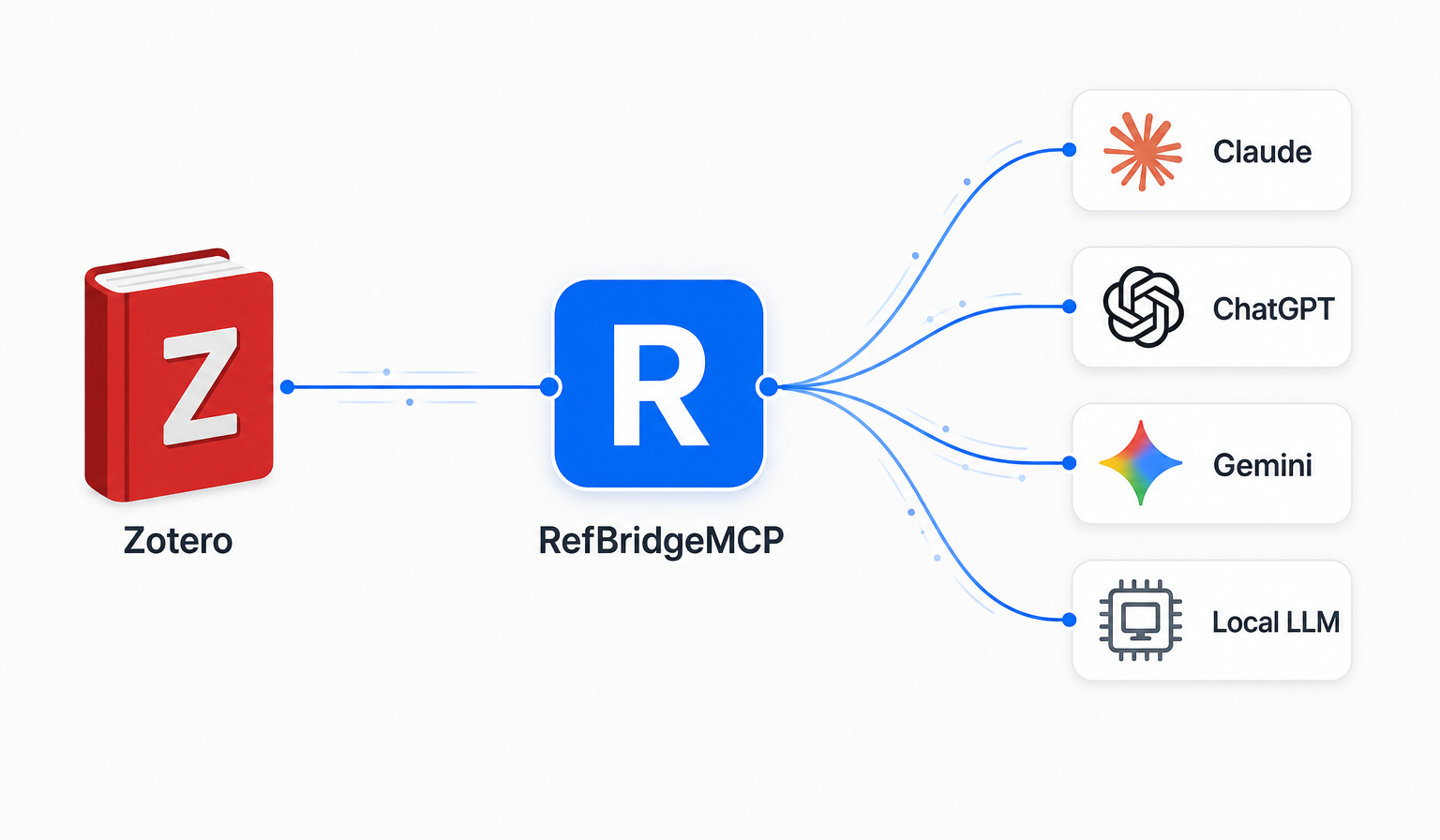
Let any AI talk to your Zotero library!
You sign in once with Zotero. RefBridgeMCP exposes a single Model Context Protocol URL that any compatible AI client can connect to — your library becomes context the assistant can search, cite, and reason about.
Frequently asked questions
Which AI clients does RefBridgeMCP work with?+
Any Model Context Protocol (MCP) client: Claude Science, Claude (desktop and claude.ai), ChatGPT, Cursor, VS Code (Copilot / Continue / Cline), Codex CLI, Gemini CLI, Zed, Open WebUI, and local MCP clients. Anything that uses MCP to communicate!
Can RefBridgeMCP see or store my Zotero library?+
No. Tool calls proxy live to Zotero. We store only OAuth tokens (encrypted with AES-256-GCM at rest), session state, and — on Personal/Pro — an audit log of AI edits plus embeddings and citation-graph rows derived from your library. Nothing is shared with third parties or used to train models.
What can Pro do that Free can't?+
Free is read-only over your library. Personal adds writes (create/update items, tag and collection edits, DOI/ISBN ingestion) and full-text semantic search across your library. Pro scales to larger libraries and adds the knowledge graph — visualize your library as an interactive citation and entity graph powered by OpenAlex, use graph search to trace the evolution of an idea, and heal your library automatically by letting AI find and fill in missing citation data.
How does the knowledge graph actually work?+
Here's the magic: when you ask your AI to see your library's knowledge graph or explore how an idea evolved, it opens a separate, floating browser window linked to your chat with a live, interactive citation graph of your library. You pan, zoom, and click nodes yourself; the AI sees what you see and reasons alongside you. It feels less like querying a database and more like standing at a whiteboard with a very well-read colleague.
How does the ChatGPT integration work?+
RefBridgeMCP exposes a single MCP endpoint plus OpenAI Apps SDK widgets. In ChatGPT developer mode, add RefBridgeMCP as a personal Plugin; searches, item detail, and the citation graph render as inline widgets. All other clients see the same tools in plain text.
Can I self-host or run it locally?+
Yes. The desktop app at refbridgemcp.org is a free, open-source (GPL-3.0) MCP server that talks to Zotero 7+ running locally — no account, no server in the middle. The hosted service at refbridgemcp.com is the zero-install option for browser-based AI clients. Advanced features (e.g., knowledge graph) are not available on the desktop version, but the open source core handles all basic library search and citation tools.
What happens if the AI edits my library incorrectly?+
Every AI write is snapshotted before and after and tagged 'ai-review' in Zotero. Use list_recent_edits and undo_library_edit to reverse any change — updates re-apply the previous snapshot; creates move the item to trash.